Gravity Flow
Thousands of ready-made flows, installed and running the same day.
Where the work is routine, Gravity just does it. Where it takes intelligence, reading the fax, making the call, working the portal, Gravity’s agents do it, and your people either review the work or handle the exceptions.
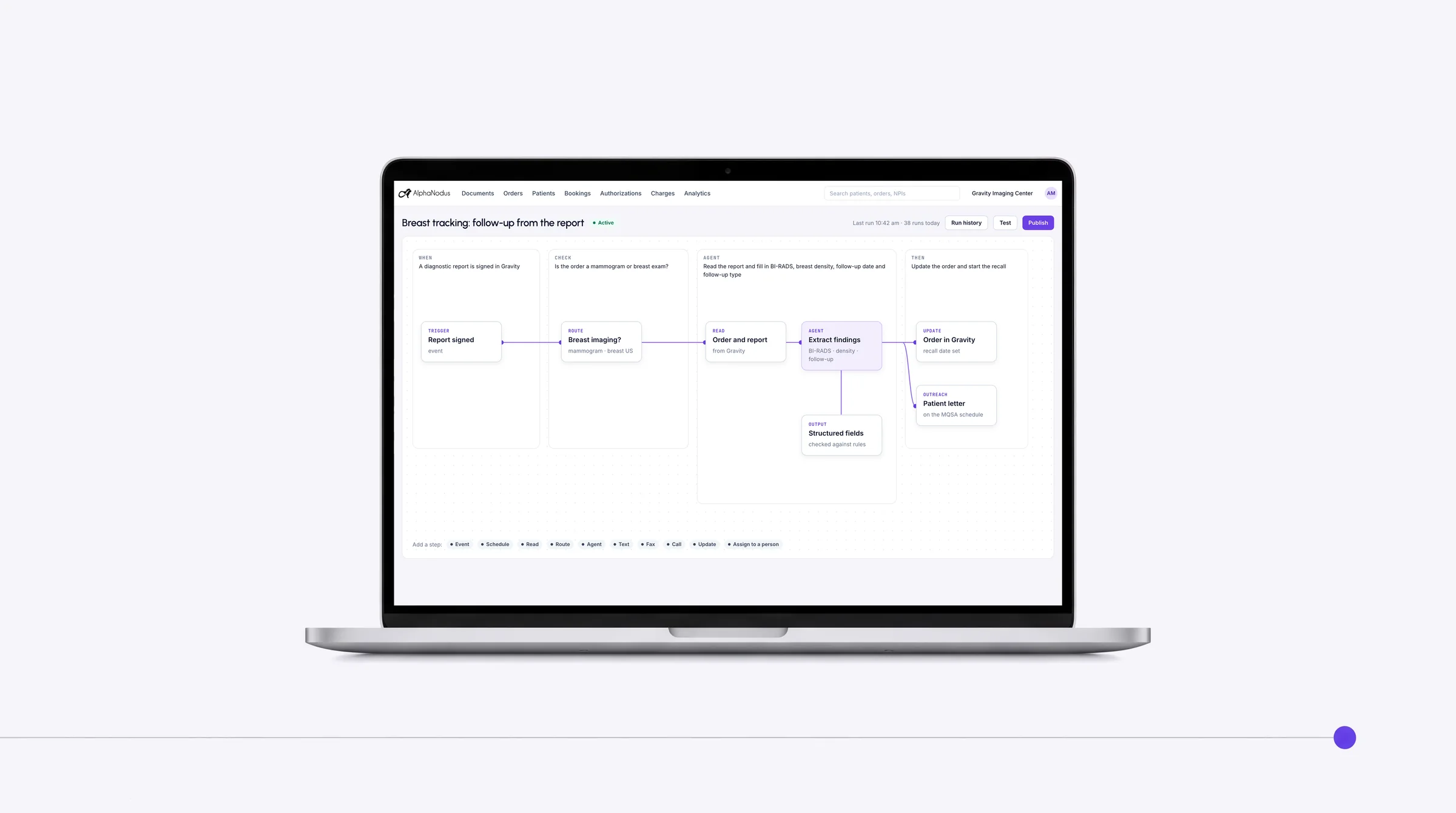
Gravity Flow today
- Thousandsof ready-made flows in the Flow Store
- 10 millionautomated flows running every day
- Same dayfrom install to running
Trusted by more than 460 imaging centers across the US.
Flow and the Flow Store
Radiology workflow automation, ready-made or built for you
Any event in Gravity can start a flow.
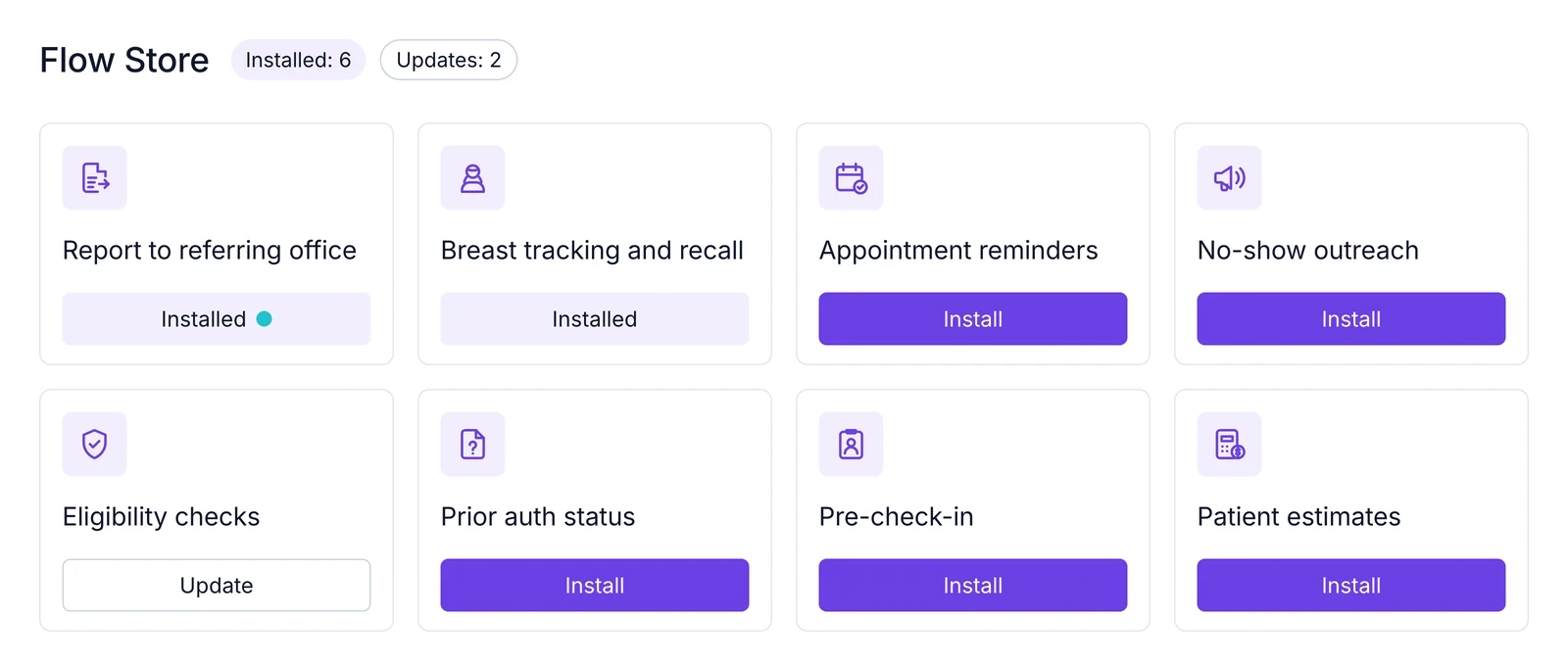
Flow Store
Thousands of proven flows, installed in one step and running the same day.
Thousands of ready-made flows a center installs and uses the same day, each indexed here and living on its job’s capability page, with its mode and its run history.
Flows on any event
Review first. Let it finish when you’re ready.
Any event in Gravity can start a flow. In an agentic flow, an agent acts end to end and hands what it can’t finish to a person; where a review setting exists, the center chooses.
Automation rules
Set it once: choose the trigger, the orders it applies to and the action, and the system does the rest.
A trigger (any event in Gravity, or a schedule), conditions on orders or documents, and an action: assign, tag, text, fax or estimate.
Custom flows built for you
Need something specific? We build it for you on the same engine.
The Alpha Nodus team builds and maintains a center’s own flows, automated or agentic, on the same engine.
In the Flow Store
Flows for every step, from the order to the payment
Every flow can be set up for the center.
Get the order
We don’t just run your orders. We go get them.
- Automatic classification, indexing and linkingAgentic
Every page that arrives is classified, indexed and filed on the right record, with no one touching it.
- Automatic order creationAgenticReview setting
Faxed and emailed orders turn into complete orders with no typing, and anything uncertain goes to a person.
- Order appropriateness checkAgentic
As soon as an order is received, an agent checks that the exam ordered is appropriate and correct for the patient, and flags anything that isn’t for a person to resolve.
- Breast tracking and recallAgentic
Reads the BI-RADS score and recommendation from the signed report, creates the follow-up order, sends the lay letter and recalls patients due for screening, on the schedule MQSA requires.
- Order completeness checkAutomated
When an order is created, anything missing is flagged before it moves on.
- Request a missing orderAutomated
Asks the referring provider for a missing order, progress note or authorization from the order, one at a time or in bulk, and tracks each request.
- Referrer outreach campaignsAutomated
Fax and email campaigns to referring physicians’ offices, built from the center’s own referrer data and sent on their own, on a schedule or when marketing starts them.
- Report back to the referring officeAutomated
The signed report goes to the referring provider by fax on its own the moment it is signed, and again on amendment, branded and with every send on record.
Complete the exam
Full schedules, without more schedulers.
- Self-booking by voice: AI voice agentAgentic
An AI voice agent calls patients to book new appointments, confirm and move them, reads prep instructions, asks screening questions and logs every call.
- Booking outreachAgentic
Once the order exists, the patient is texted or called to book, with a secure link straight to open slots, so the patient gets on the calendar.
- Confirmations and remindersAutomated
Patients get booking confirmations and appointment reminders by text or call, sent on a schedule, so the booked slot is kept and the patient arrives prepared.
- Earlier-slot nudgesAutomated
When an earlier opening appears on a device, eligible booked patients are offered it and moved when they accept.
- No-show markingAutomated
Missed appointments are marked no-show each day on their own, or by staff, and land in a worklist for rebooking.
- No-show outreachAutomated
Patients who missed an appointment are reached by text or call to rebook, so the slot is refilled and the exam still happens.
- Exam prep instructionsAutomated
Prep instructions linked to each exam are shared with patients automatically when they book, and read out by the voice agent.
- Pre check-in and document request linksAutomated
Before the visit, patients are sent a link to check in and upload the documents the center needs, on its own, ahead of the appointment.
- Results and lay letters to the patientAutomated
When the report is signed, the patient is sent a text link to read and download it, open shared images and read their lay letter in the portal.
Get paid
Every exam you complete, you get paid for.
- Financial clearanceAgentic
When an order is created, coverage, eligibility and authorization gaps are flagged before the exam, for a person to resolve.
- Portal eligibility checksAgentic
Checks eligibility on a payer portal through the browser extension, one at a time or in bulk, for payers without electronic eligibility.
- Submission and status on portalsAgenticReview setting
Authorizations submitted and tracked on payer portals without retyping the order.
- Prior auth status checksAutomated
Prior auth is started for pending orders and its status checked on booked MR and CT orders every weekday, on its own.
- Eligibility checks on a scheduleAutomated
Eligibility runs on its own on a schedule for orders waiting to start, so coverage is known before anyone has to ask.
- PECOS check on Medicare ordersAutomated
Checks the referring provider on every Medicare order against federal enrollment data on its own, and tags those not enrolled so the estimate is flagged for an ABN before the claim is denied.
- Secondary insurance finderAutomated
Finds a secondary insurance the patient has that isn’t attached to the order, on its own.
- Patient estimates on their ownAutomated
Once coverage is known, the estimate is created and sent to the patient’s phone on its own, with no one building it.
- Charge items from the orderAutomated
Creates charge items automatically from the procedure codes on incoming orders and ignores duplicates.
- Remittance inboxAutomated
Turns every 835 remittance into a payment record with its trace number, payer and claims, and flags duplicate files.
- Automatic remittance matchingAutomated
Matches each remittance line to its claim automatically, and lets staff link unmatched lines by hand.
- Deposit reconciliationAutomated
Checks each remittance’s math, claims paid less provider adjustments against the bank amount, and shows Balanced or the variance.
- Denial classification worklistAutomated
Classifies every line as paid, reduced, patient responsibility, denied or reversed, and turns adjustment codes into denial categories to assign and work.
Lay letters on the schedule MQSA requires. We don’t read the scan. We make sure it gets back.
Every run on record
Run history and delivery record
Every flow run and every message, fax or report sent is logged with who, when and whether it went through, and what the agent did.
Outreach controls
Editable wording with patient variables, several versions per message, contact caps per day and visit, and do-not-contact checked before anything goes out.
Bulk and one-off outreach
Staff send any message to one patient or hundreds at once from the order list, each with their own secure link.
Works with
One engine under the whole system
Every text, call, fax and email
Every text, call, fax and email a flow sends goes through Communication.
Gravity CommunicationWhat a flow can’t finish
What an agentic flow can’t finish lands on a worklist with the history attached; Work is the exception path.
Gravity WorkFrom the document to the order
Runs Doc’s flows: classification, order creation, the completeness check, clinical clearance, breast tracking and recall, missing-order requests.
Gravity DocAgents work the order. Your people work the exceptions.
Questions
Questions about radiology workflow automation
What is Gravity Flow?
Gravity Flow is the engine that runs every flow in Gravity: automated where the work is routine, agentic where it takes intelligence, started by any event or a schedule. The Flow Store holds thousands of ready-made flows a center installs and uses the same day, each homed on its job’s page, and Alpha Nodus builds custom ones on the same engine.
What happens to my team?
Gravity takes over the tasks, not the people. The routine work completes on its own, so your team can give patients the attention the paperwork used to take.
What is in the Flow Store?
Thousands of ready-made flows, installed and running the same day: clearance at intake, booking outreach, the AI voice agent, reminders, report delivery, breast tracking and recall, eligibility, prior auth and referrer campaigns.
What is the difference between an automated and an agentic flow?
An event or a schedule starts it, and fixed rules do it. Nothing to decide, so nothing to review. That is an automated flow. In an agentic flow, an agent reads, decides and does the work. Where a flow has a review setting, you choose: Review first. Let it finish when you’re ready.
Can Alpha Nodus build a flow for us?
Yes. The Alpha Nodus team builds and maintains a center’s own flows, automated or agentic, on the same engine.
How is our data protected?
Hosted on AWS in US regions only. A HIPAA Business Associate Agreement with every customer. Every sub-processor used in Gravity has a BAA with Alpha Nodus. Independently penetration-tested every year. Data encrypted at rest with per-tenant keys. MFA on every production login, SSO on Enterprise. Controls monitored continuously, with a public Trust Center.
Trust Center